
Graphics cards
29 products

BIOSTAR GeForce RTX 3080 10GB GDDR6
- Nvidia GeForce
- RTX 3080
- 10 GB
- GDDR6
- 8704
670.00 €
Earn 670 points+670 p.
★★★★★
(0)
Limited quantity

NVIDIA RTX PRO 6000 Blackwell Workstation Edition 96GB GDDR7 512 bit graphics card
- NVIDIA Quadro
- RTX PRO 6000
- 96 GB
- GDDR7
- 24064
21 919.00 €
Earn 21919 points+21919 p.
★★★★★
(0)
Delivery up to 15 days

Nvidia RTX PRO 5000 Blackwell 48 GB GDDR7
- NVIDIA Quadro
- RTX PRO 5000
- 48 GB
- GDDR7
- 14080
11 018.00 €
Earn 11018 points+11018 p.
★★★★★
(0)
Delivery up to 15 days

Video card MSI RTX 5060 INSPIRE ITX OC 8GB GDDR7 128bit - 912-V537-058
- Nvidia GeForce
- RTX 5060
- 8 GB
- GDDR7
- 3840
535.00 €
Earn 535 points+535 p.
★★★★★
(0)
Available in external warehouse

Video card PNY VCNRTXA1000-PB, RTX A1000, 8GB, PCIE 4.x16, miniDisplayPort 1.4 (4)
- NVIDIA Quadro
- RTX A1000
- 8 GB
- GDDR6
- 2304
548.00 €
Earn 548 points+548 p.
★★★★★
(0)
Available in external warehouse
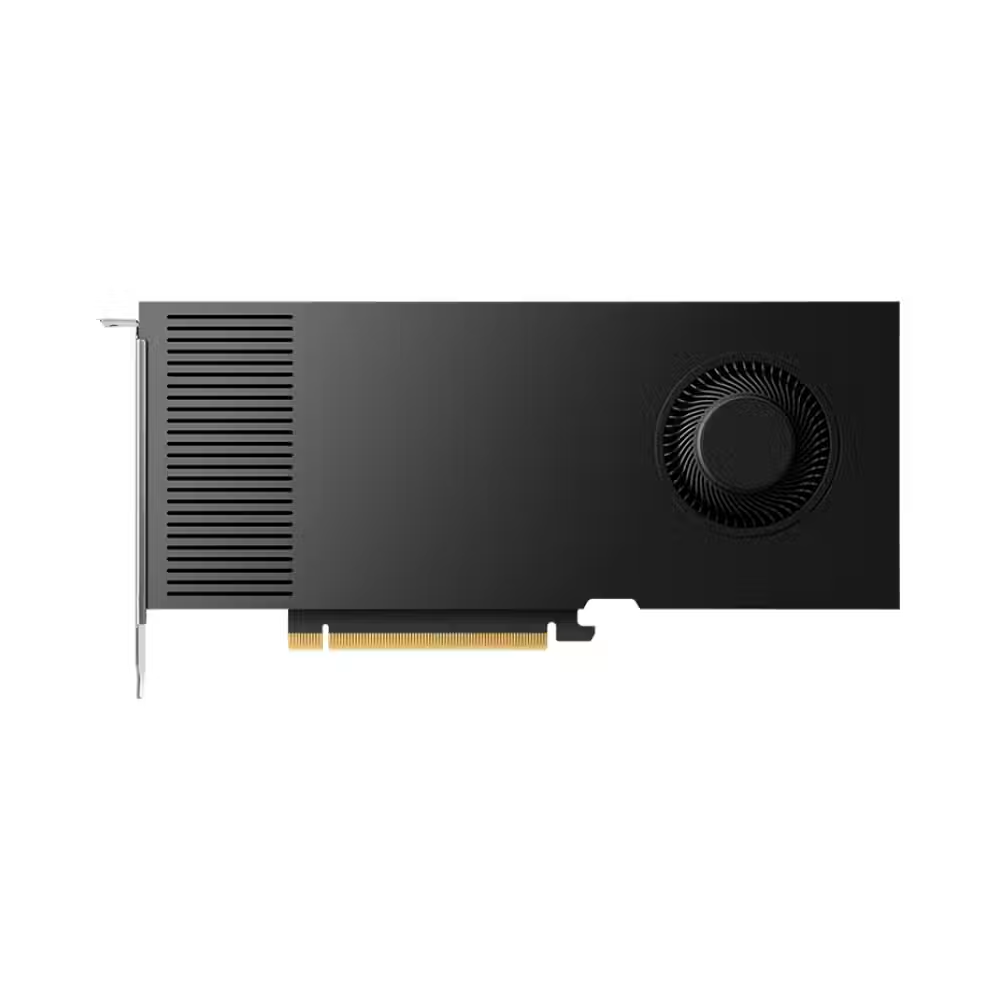
Graphics card PNY RTX A4000 ADA Gen 20GB 4 x DP 1.4a - VCNRTX4000ADA-PB
- NVIDIA Quadro
- RTX A4000
- 20 GB
- GDDR6
- 6144
2 739.00 €
Earn 2739 points+2739 p.
★★★★★
(0)
Delivery up to 15 days

Graphics Card Gigabyte RTX 5080 GAMING OC 16GB GDDR7
- Nvidia GeForce
- RTX 5080
- 16 GB
- 10752
2 679.00 €
Earn 2679 points+2679 p.
★★★★★
(0)
Delivery between 5-7 days

Graphics Card Gigabyte RTX 5070 Ti GAMING OC 16GB GDDR7
- Nvidia GeForce
- RTX 5070 Ti
- 16 GB
- GDDR7
- 8960
1 471.00 €
Earn 1471 points+1471 p.
★★★★★
(0)
Available in external warehouse

Graphics Card Gigabyte RTX 5070 Ti EAGLE OC SFF 16GB GDDR7
- Nvidia GeForce
- RTX 5070 Ti
- 16 GB
- GDDR7
- 8960
1 435.00 €
Earn 1435 points+1435 p.
★★★★★
(0)
Available in external warehouse

Graphics card Gigabyte RTX 5070 Ti AERO OC 16GB GDDR7 - GV-N507TAERO OC-16GD
- Nvidia GeForce
- RTX 5070 Ti
- 16 GB
- GDDR7
- 8960
1 595.00 €
Earn 1595 points+1595 p.
★★★★★
(0)
Available in store

Graphics Card Gigabyte RTX 5060 Ti GAMING OC 16GB GDDR7
- Nvidia GeForce
- RTX 5060 Ti
- 16 GB
- GDDR7
- 4608
1 042.00 €
Earn 1042 points+1042 p.
★★★★★
(0)
Available in external warehouse

Graphics Card Gigabyte RTX 5060 Ti WINDFORCE OC 16GB GDDR7
- Nvidia GeForce
- RTX 5060 Ti
- 16 GB
- GDDR7
- 4608
986.00 €
Earn 986 points+986 p.
★★★★★
(0)
Limited quantity

GIGABYTE RTX 5050 GAMING OC 8GB GDDR6 Graphics Card
- Nvidia GeForce
- RTX 5050
- 8 GB
- GDDR6
- 2560
474.00 €
Earn 474 points+474 p.
★★★★★
(0)
Limited quantity

Graphics Card Gigabyte RTX 5050 OC Low Profile 8GB GDDR6
- Nvidia GeForce
- RTX 5050
- 8 GB
- GDDR6
- 2560
461.00 €
Earn 461 points+461 p.
★★★★★
(0)
Limited quantity

Graphics card PNY RTX PRO 6000 Blackwell Max-Q Workstation Edition NVIDIA 96 GB GDDR7
- NVIDIA Quadro
- RTX PRO 6000
- 96 GB
- GDDR7
- 24064
18 835.00 €
Earn 18835 points+18835 p.
★★★★★
(0)
Delivery up to 15 days

GIGABYTE RTX 3050 WINDFORCE OC V2 6GB GDDR6 Video Card
- Nvidia GeForce
- RTX 3050
- 6 GB
- GDDR6
- 2304
334.00 €
Earn 334 points+334 p.
★★★★★
(0)
Delivery between 5-7 days

Video card MSI RTX 5060 8GB VENTUS 2X OC V1
- Nvidia GeForce
- RTX 5060
- 8 GB
- GDDR7
- 3840
548.00 €
Earn 548 points+548 p.
★★★★★
(0)
Available in external warehouse

GIGABYTE RTX 5060 GAMING OC V2 8GB GDDR7 graphics card
- Nvidia GeForce
- RTX 5060
- 8 GB
- GDDR7
- 3840
589.00 €
Earn 589 points+589 p.
★★★★★
(0)
Limited quantity

PNY RTX 505 Dual Fan 8GB GDDR6 Video Card
- Nvidia GeForce
- RTX 5050
- 8 GB
- GDDR6
- 2560
469.00 €
Earn 469 points+469 p.
★★★★★
(0)
Delivery between 5-7 days

Gainward RTX 3060 Python II OC 12GB GDDR6 - NE63060U19K9-PG190V
- Nvidia GeForce
- RTX 3060
- 12 GB
- GDDR6
- 3584
519.00 €
Earn 519 points+519 p.
★★★★★
(0)
Available in external warehouse

Palit RTX 3060 Infinity 2 OC 12GB GDDR6 - NE63060U19K9-PG190L
- Nvidia GeForce
- RTX 3060
- 12 GB
- GDDR6
- 3584
524.00 €
Earn 524 points+524 p.
★★★★★
(0)
Limited quantity

Graphics card MSI GeForce RTX 5060 Ti 8G GAMING TRIO OC GDDR7 - 912-V536-004
- Nvidia GeForce
- RTX 5060 Ti
- 8 GB
- GDDR7
- 4608
752.00 €
Earn 752 points+752 p.
★★★★★
(0)
Delivery up to 15 days

Graphics card Nvidia RTX PRO 4500 Blackwell Server Edition 32 GB GDDR7
- NVIDIA Quadro
- RTX PRO 4500
- 32 GB
- GDDR7
- 10496
5 113.00 €
Earn 5113 points+5113 p.
★★★★★
(0)
Delivery up to 15 days

AXLE GeForce RTX 2070 8GB MINING Video Card - AX-RTX2070/8GD6P6I
- Nvidia GeForce
- RTX 2070
- 8 GB
- GDDR6
- 2304
297.00 €
Earn 297 points+297 p.
★★★★★
(0)
Available in external warehouse
Useful when choosing
The graphics card determines how smoothly games will run, how quickly video will render, and whether the computer can handle AI tasks locally. Here you will find models with NVIDIA GeForce, AMD Radeon, and Intel Arc chips – from quiet cards for office and multimedia to flagships for 4K gaming.
How to choose
- Monitor resolution. For 1920 x 1080, a mid-range card is sufficient. For 2560 x 1440 and especially for 4K, a more powerful chip is required; otherwise, you will have to lower the settings.
- Video memory (VRAM). 8 GB is the minimum for modern games in Full HD. For 1440p and heavy textures, look for 12–16 GB, and for 4K, 3D, and local AI models – 16 GB and above.
- Chip generation. Newer generations provide more frames at the same power consumption and support DLSS, FSR, or XeSS – technologies that increase frames with minimal loss of image quality.
- Cooling. Almost all cards have active cooling with two or three fans. A larger heatsink means quieter operation. Passive models are only for weak systems without gaming.
- Brand of the card. The same chip is sold by ASUS, MSI, Gigabyte, Palit, Sapphire, PowerColor, and others. The differences are in cooling, noise, size, and factory overclocking – performance is almost the same, so compare sizes and noise.
- Purpose. Besides gaming cards, there are professional series for CAD and rendering, as well as cheap multimedia cards that simply add outputs for monitors.
What to watch out for
- Check the length of the card and how many slots it occupies – many models are thick 2.5 to 3.5 slots and do not fit in small cases.
- The power supply must have enough wattage and the correct cables – 8-pin PCIe or the new 16-pin connector.
- A weak processor limits a strong card, especially in Full HD and at high frame rates.
- Connect the monitor to the graphics card output, not to the motherboard.
- For high refresh rate monitors, check that the card has DisplayPort or HDMI 2.1 with the required bandwidth.
Compatibility
All modern cards use the PCIe x16 slot and work with any new motherboard – the older version of PCIe rarely makes a noticeable difference. Before purchasing, compare the sizes with the case, check the power of the power supply, and whether the processor is in the same class. If you are building a whole system, the configurator checks compatibility for you.
Frequently Asked Questions
Колко видео памет ми трябва за игри?
За Full HD игри 8 GB са минимумът, но в новите заглавия с високи текстури вече се усещат ограничения. За 1440p препоръчваме 12 или 16 GB, а за 4K и професионална работа – 16 GB и повече. Повече памет не прави слабия чип по-бърз, затова гледай паметта заедно с класа на картата.
NVIDIA или AMD?
И двете марки имат силни карти във всеки клас. NVIDIA води при лъчевото проследяване (ray tracing), DLSS и софтуера за AI и видео. AMD често дава повече видео памет и кадри в същия клас, а FSR работи и на чужди карти. Сравни конкретните модели в бюджета си и игрите, които играеш.
Какво захранване ми трябва за новата видео карта?
Гледай препоръчаната мощност на производителя на картата – тя важи за цялата система, не само за картата. За карти от средния клас обикновено стига качествено захранване от 650–750 W, за най-мощните – 850 W до 1000 W или повече. Провери и дали захранването има нужните PCIe кабели или 16-пинов конектор.
Ще влезе ли картата в моята кутия?
В описанието на всяка карта е дадена дължината в милиметри и броят слотове. Сравни ги с максималната дължина на видео карта, посочена за кутията ти. Остави и няколко сантиметра за кабелите на захранването, особено при карти с 16-пинов конектор отгоре.
Има ли смисъл от видео карта, ако не играя?
Да, ако монтираш видео, работиш с 3D, CAD или пускаш AI модели локално – там картата ускорява работата многократно. За офис, браузър и филми вградената графика на процесора обикновено е достатъчна. Евтина мултимедийна карта има смисъл, ако процесорът ти няма вградена графика или ти трябват повече изходи за монитори.

